Very Large Meeting
We have introduced the new Very Large Meeting (VLM) feature, which allows meetings to scale beyond 500 participants — up to 10,000 total attendees — without requiring live streaming, while still enabling structured interaction and presenter control. Moderators can easily change participants status from viewer to active participant at any time.
Previously, meeting sessions could only reach an audience bigger than 500 people if they used live streaming. However, live streaming usually lags behind the conversation by ten or more seconds and offers no easy way for stream viewers to interact with the meeting's active participants.
Features
The Very Large Meetings (VLM) features include:
- Joining the VLM is similar to joining a usual 8x8 Meet. To learn how to join an 8x8 Meet, see Join meetings with 8x8 Meet.
-
VLM supports up to 10,000 meeting attendees, including viewers (observers) and active participants (contributors):
- Viewers are mainly observers. Viewers get access to the meeting audio and video and see and hear all active participants as soon as they get access to the meeting. Viewers can also see all chat messages exchanged between other viewers and active participants during the meeting.
- Viewers cannot see their thumbnails and won’t appear in the meeting participant list, but they can raise their hands to become active participants.
- Viewers can send chat messages during the meeting or leave anytime.
- They cannot speak, send audio/video, or share their screens during the conference unless they first get promoted to a participant.
- Active participants can speak, send audio/video, or share their screens during the conference and take action just as regular 8x8 meeting participants.
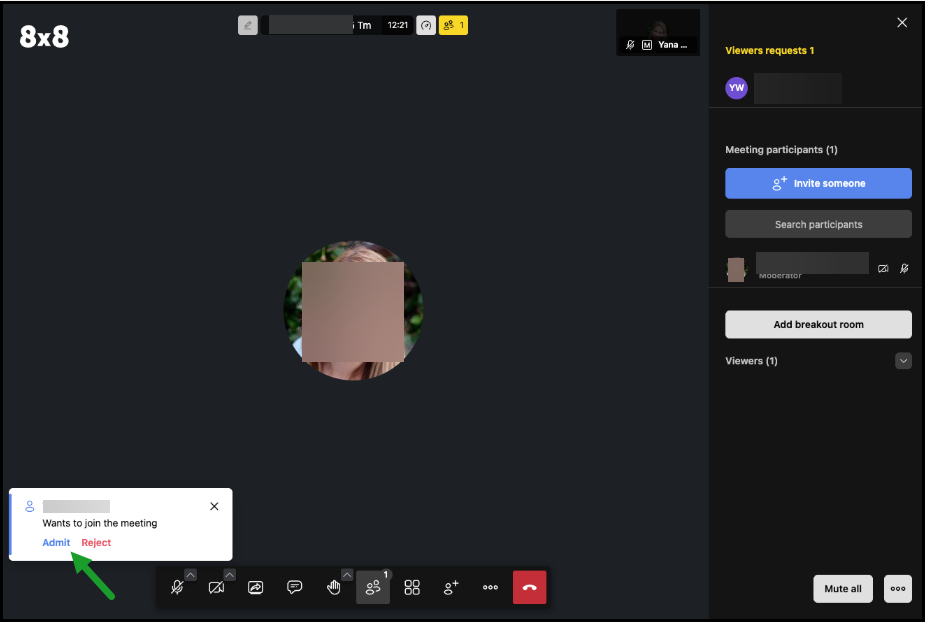
- If participants have moderator rights, they can approve or reject viewer requests to become participants.
- To keep things smooth, the first 250 people who join a meeting will have active participant rights, so for them, things will work exactly as before. From the 251st person onward, attendees will automatically be joined as viewers.
- Moderators in a meeting with viewers will be able to promote viewers to participants or demote participants to viewers. A maximum of 500 active participants are allowed in a meeting at any time.
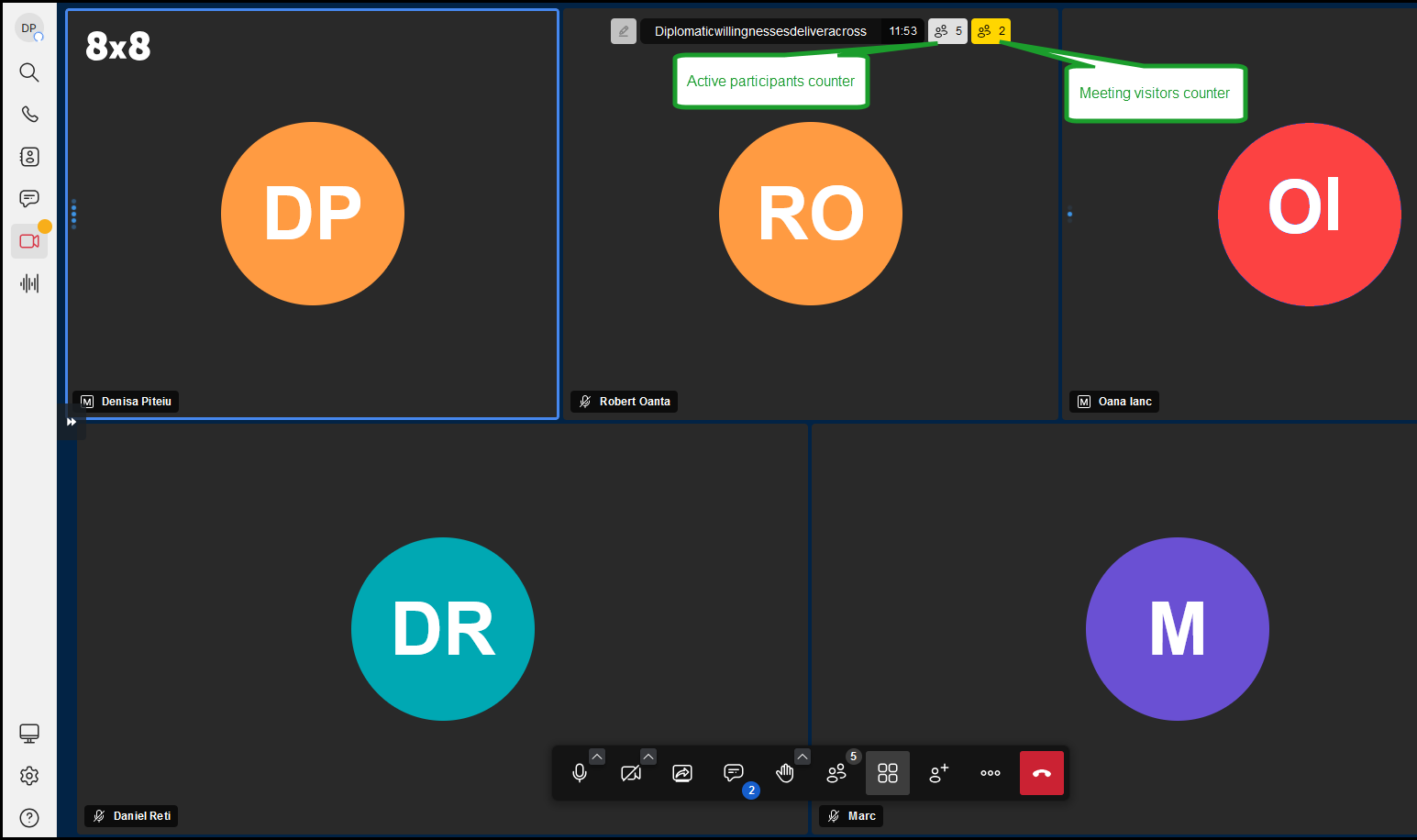
- VLM displays distinct counters showing the number of active participants and viewers in a meeting.
- The viewer names and avatars are never displayed on the active meeting screen.
 Capabilities
Viewer capabilities
- Send chat messages during the meeting
- See chat messages exchanged between active participants.
- Raise their hand to become an active participant.
- Toggle tile view.
- View performance settings.
- See the active participant's video, display name, mute/unmute, state, etc.
- Configure Audio and Profile settings.
- Leave the meeting.
- View the start subtitles option.

Active participants capabilities
in addition to a viewer, active participants can:
- Speak in the meeting, show the camera, send audio/video, or share their screens during the meeting.
- Take any actions similar to a regular 8x8 meeting participant.
- Create breakout rooms and meeting polls.
- See distinct counters for active participants and viewers on the active meeting screen, showing the number of active contributors and viewers. Still, they cannot see viewers' names and avatars or their presence on the meeting screen as a tile.
- Have access to post-meeting details (meeting resources such as participants list, recording file, meeting transcript, meeting summary & action items).

Meeting moderator capabilities
- Accept or reject viewer requests to become participants.
- Revoke active participants' rights.
- Mute or unmute a particular participant or everyone else.
- Allow or prevent others from using their cameras.
- Grant moderator rights to a participant.
- Send a private message to a participant.
- Speak, send audio/video, or share your screen during the meeting.
- Take any actions similar to a regular 8x8 meeting participant.
Limitations
Meeting lobby
Lobby is unavailable for Veri Large Meetings Access is controlled by the Go Live feature, when configuring meeting settings in advance, and moderation controls instead.
Meeting breakout rooms
- Breakout Rooms are only available to active users.
- viewers will not see the breakout rooms on the interface.
- viewers cannot be moved to a breakout room.
- To learn more about breakdown rooms, see Use breakout rooms in meetings.
Meeting polls:
- Polls are available to all participants to view and participate.
- Only active participants are able to create polls. Viewers can only view and participate in polls
- To learn more about meeting polls, see Use polls in meetings.
Post-meeting details
- Post-meeting details and resources, such as participants list, recording file, meeting transcript, meeting summary and action items, are only available to active participants.
Request for rights as an active participant in a very large meeting
All meeting attendees can raise their hand to become active participants.
To request for rights as active participant in a very large meeting:
-
Join the 8x8 meeting. Joining the VLM is similar to joining a usual 8x8 Meet.
Note: Upon joining the meeting, your computer or device's default microphone, speaker, and camera will automatically connect for audio and video.
-
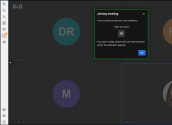
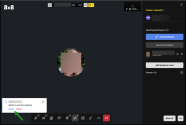
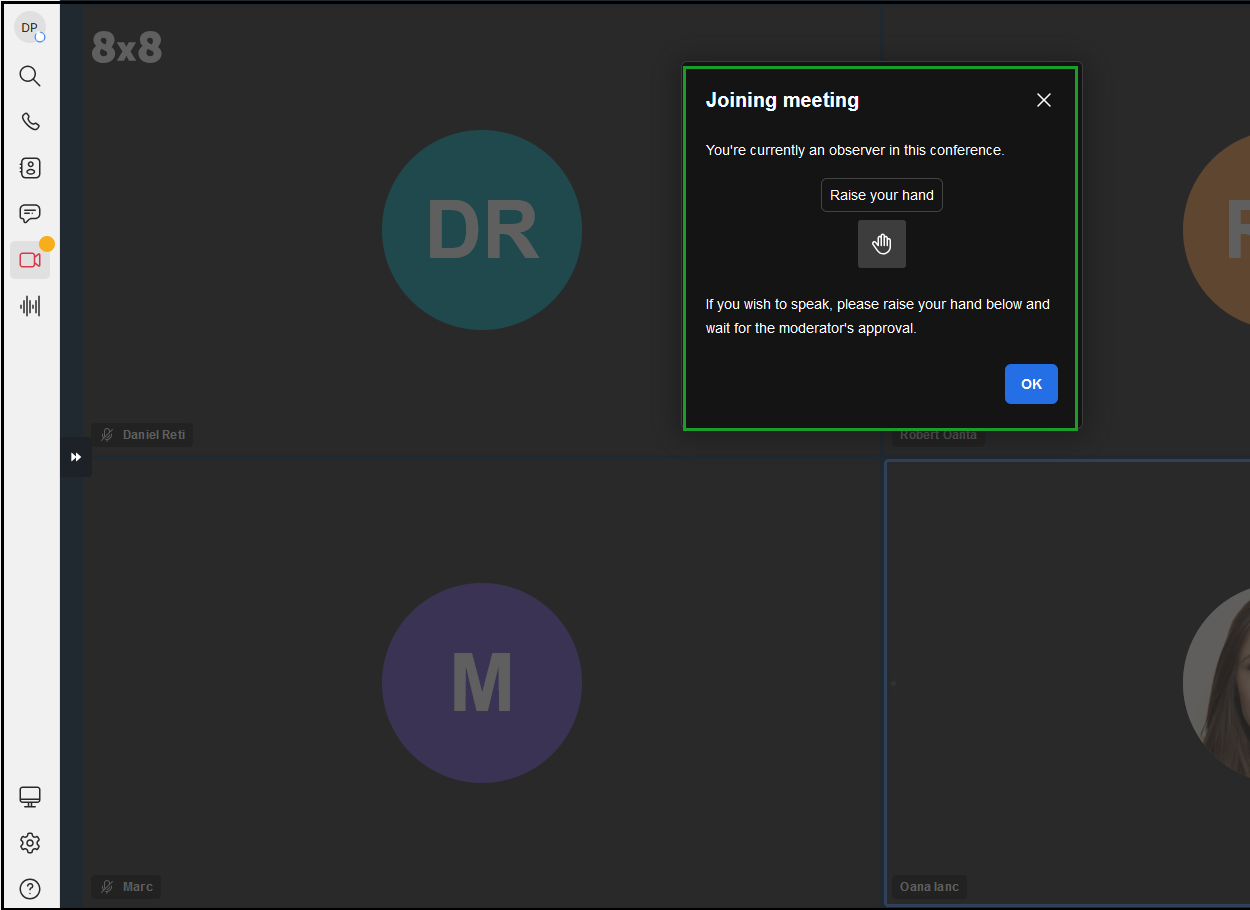
When you join a very large meeting, you have viewer rights. A notification appears, letting you know you can request to participate actively by raising your hand anytime during the meeting.
-
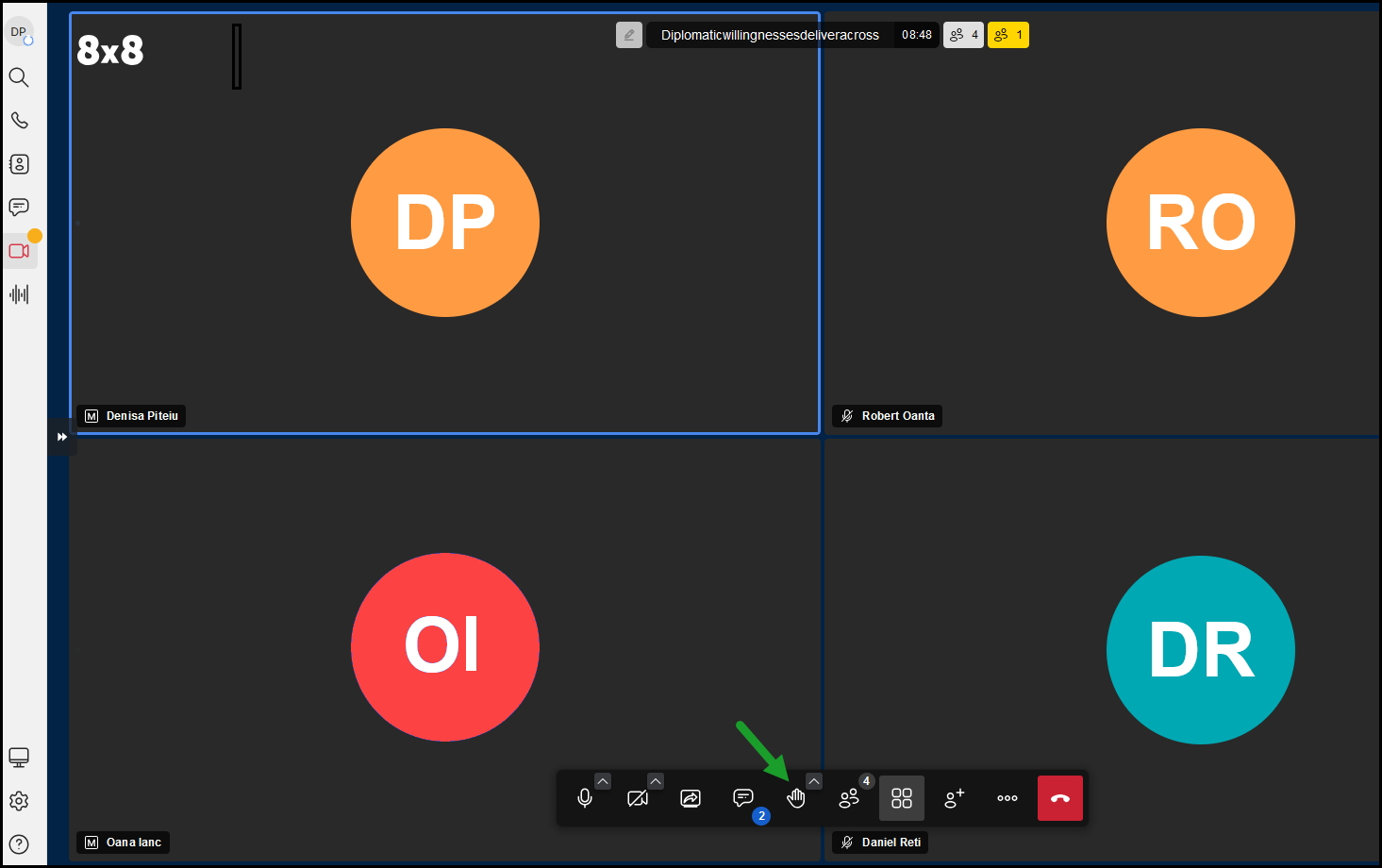
On your meeting screen, click Raise Your Hand on the toolbar at the bottom of the page. The meeting moderators will be notified of the request, and they can accept or reject your request to become an active participant.
-
The meeting moderators will be notified of the request, and they can accept or reject your request to become an active participant.
-
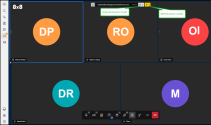
The meeting participants can see distinct counters for active participants and viewers on the active meeting screen, showing the number of active contributors and viewers. Still, they cannot see viewers' names and avatars or their presence on the meeting screen as a tile.
 Grant viewers rights as active participants by moderators
Meeting moderators can grant active participant rights to viewers
To grant viewer rights as an active participant in a very large meeting:
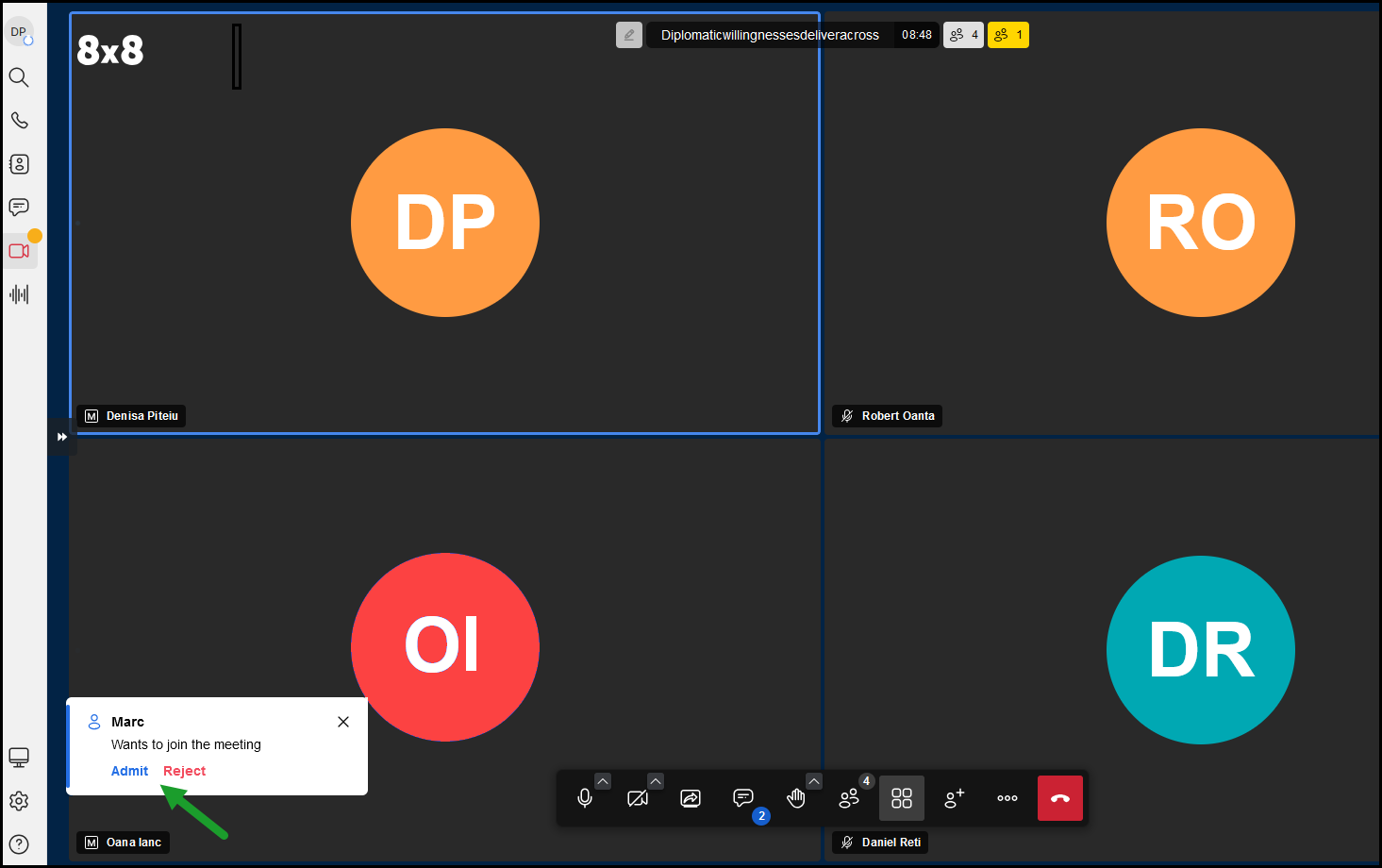
- While on a VLM as a meeting moderator, you are notified of a viewer's request to become a participant.
- In the notification, click Accept and confirm to accept the viewer’s request to participate actively. The selected viewer becomes an active participant and can contribute to the meeting, speak, send audio/video, or share their screens during the conference.
- Otherwise, click Reject.
Revoke active participant rights by moderators
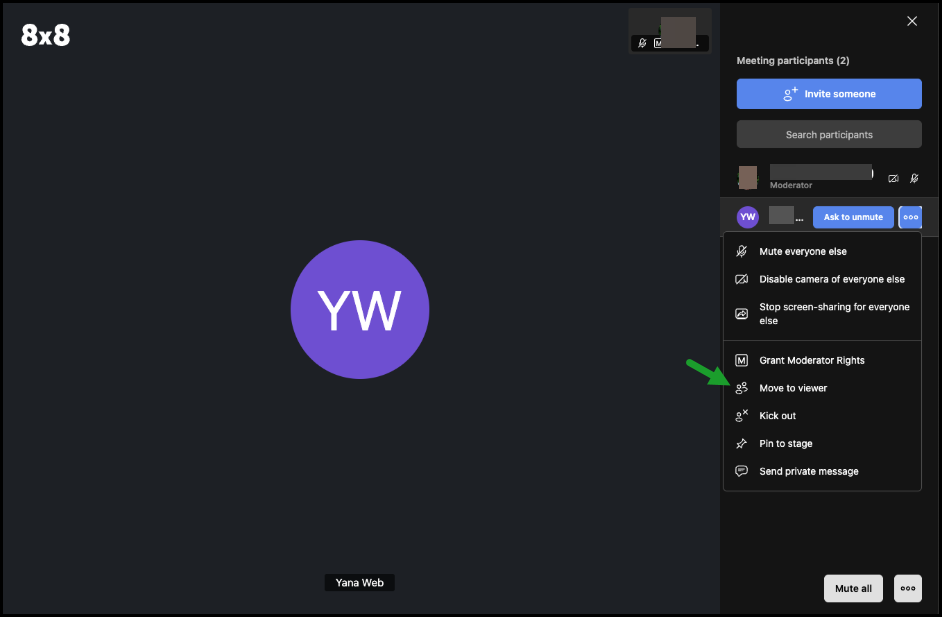
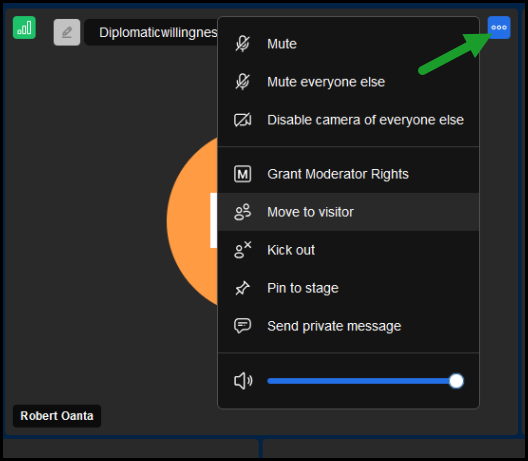
Meeting moderators can revoke active participant rights and change them to viewers anytime.
To move active participants to viewers:
- While on a VLM, as a meeting moderator, click More
 in the tile of the desired participant.
 -
Click Move to viewer
 and confirm. The selected participant has only observer rights and can send chat messages during the meeting, leave it, or raise their hand to become an active participant. Once the participant is granted permission again, the viewer can speak, send audio or video, or share screens during the meeting again.