What's new in Beta 8x8 Frontdesk 8.28 release?
In this release of 8x8 Frontdesk, we introduced the following enhancement:
Enhanced Call Identification in 8x8 Frontdesk (Beta)
Note: This feature is currently on Limited Availability (LA). For feature enablement, contact us at [email protected].
Overview
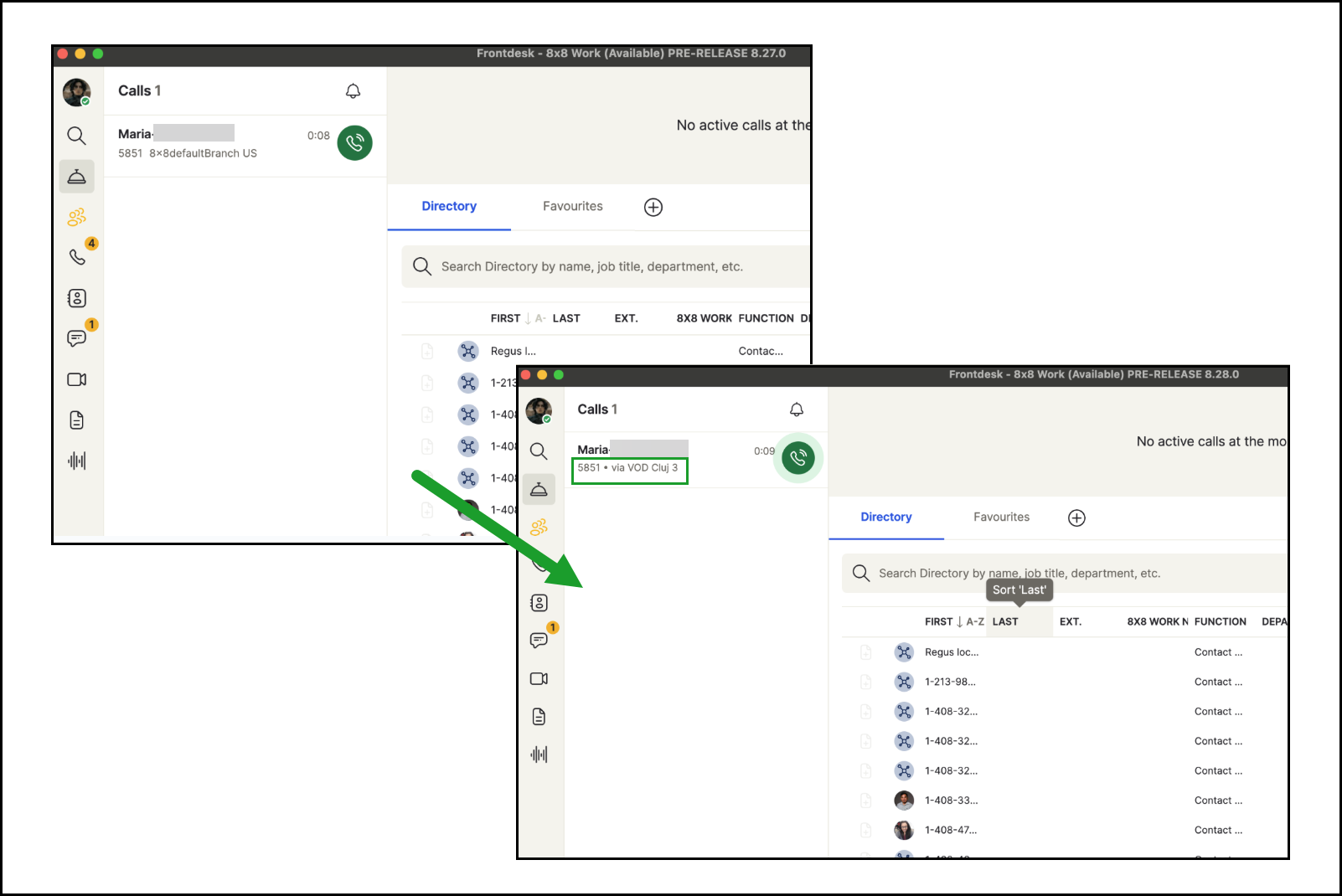
In 8x8 Frontdesk (Beta), the incoming and active call banner now includes Dialed Number Identification Service (DNIS) details for internal calls, making it easier to identify which extension or service was dialed.
Previously, the via field displayed only the caller’s branch, which made it difficult to determine the actual target of a forwarded or internal call. This often caused confusion for receptionists, especially when client calls were redirected through another employee’s extension.
Before vs After
| Before | Before | Now (enhanced) |
|---|---|---|
| Call Banner Info | Displayed caller’s branch for internal calls. | Displays DNIS info showing the actual extension or service dialed. |
| Forwarded Call Context | Receptionists couldn’t identify the colleague’s extension forwarding the call. | Clear visibility of which extension the client call was routed through. |
| External Calls | Already displayed correctly. | No change. Works as before. |
Key Benefits
- Improved clarity: See the actual extension or service dialed, even when calls are forwarded.
- Fewer miscommunications: Receptionists can respond appropriately based on who the caller intended to reach.
- Better internal visibility: DNIS details give instant context for every internal call.
For more details about call banner, see Handle calls - Receive calls.