What’s new for 8x8 for Microsoft Teams app users?
In this release, we have introduced the following enhancements:
Support for automatic authentication
Starting with version 4.0, the 8x8 for Microsoft Teams app (8x8 Teams app) supports automatic authentication. Previously, users had to manually sign in to the 8x8 Teams app every seven days. With this release, users that accept the 8x8 terms and conditions are automatically logged in to the app when they log in to Microsoft Teams.
To enable automatic authentication:
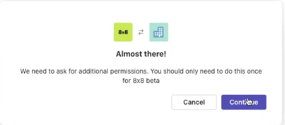
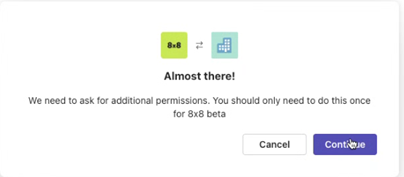
- When you access the 8x8 Teams app for the first time, you may be prompted with a message stating the app requires additional permissions. Click Continue.
- You may receive one of the following messages:
Note: This step only displays until the terms and conditions are accepted by the user or admin.
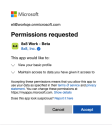
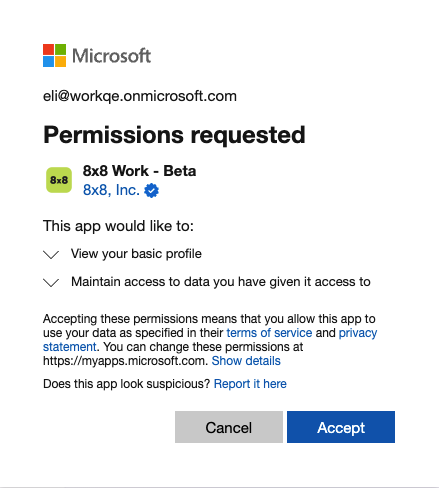
- Permission requested: The admin allows you to consent to certain verified app permissions. Click Accept to be automatically logged in to the 8x8 Teams app when you log into your Microsoft Teams account.
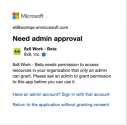
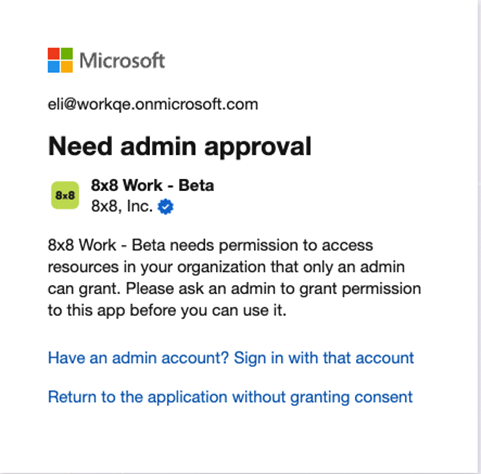
- Need admin approval: You are required to request permission from the admin to access the 8x8 Teams app. Click Return to the application without granting consent. When you try to access the app again, you may see a dialog which allows you to submit an approval request to your administrator.
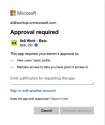
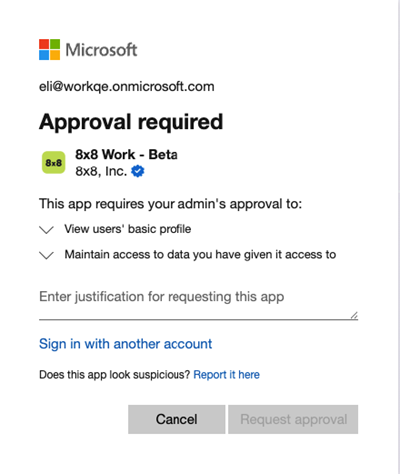
- Approval required: You are required to request permission from the admin to access the 8x8 Teams app. You must add a reason for requesting the app before clicking Request approval. The request is then sent to the admin. When approved, you will be automatically logged in to the 8x8 Teams app when you log into your Microsoft Teams account.
- Permission requested: The admin allows you to consent to certain verified app permissions. Click Accept to be automatically logged in to the 8x8 Teams app when you log into your Microsoft Teams account.
Ability to place PSTN calls from the 8x8 for Microsoft Teams app
The 8x8 for Microsoft Teams app (8x8 Teams app now includes Public Switched Telephone Network (PSTN) calling capabilities via the 8x8 Teams app for users without a Teams Phone license. This new capability offers a simple, cost-effective way to place outbound calls without a Teams Phone license from within 8x8 Teams app using the 8x8 Work platform.
Note: If you already have a Teams Phone license, you’ll continue using Teams-native calling.
Key benefits
- No Microsoft Teams Phone license required
- Free for 8x8 users with X Series plans
- Global calling backed by 8x8’s reliable voice network
- Seamless experience from inside Microsoft Teams
Requirements
- A basic Microsoft Teams license
- 8x8 X Series license
- 8x8 Teams app installed
-
To place outbound PSTN calls without a Teams Phone license, you must have:
- 8x8 Presence Sync enabled by the admin
- 8x8 Work installed (desktop, mobile, or web)
For more information on placing PSTN calls from the 8x8 Teams app within Microsoft Teams, see how to handle PSTN calls from the 8x8 Teams app.
Users requiring advanced features or native Microsoft Teams dialing can opt for other 8x8 solutions such as 8x8 Voice for Microsoft Teams (Direct Routing as a Service) and 8x8 Operator Connect.


