Note: AI Studio is an Early Access Program (EAP) product. Features may change after this documentation is published. If a feature is not included in this guide, use the built-in AI Builder to explore available capabilities.
Set up flows
Call flows are a routing mechanism used to manage voice interactions in AI Studio with scripted greetings, DTMF menus, and structured routing. They follow IVR-style logic to handle calls in a structured and controlled way.
Flows are assigned to phone numbers in the Voice Connectors submenu. When a call comes in, the entry point runs either an AI agent or a call flow. Flows can hand off to agents mid-call when needed.
Flows control how a call is handled step by step. For example, they can greet the caller, collect keypad input (DTMF), evaluate conditions, and route the call to the appropriate destination. They can also hand off the call to an AI agent when needed, enabling hybrid IVR and AI experiences.
Typical flow use cases include:
- Greeting callers and routing them to the right destination.
- Collecting keypad input before connecting to a person or agent.
- Running outbound reminder or notification calls.
- Building hybrid experiences that combine IVR and AI.
- Connecting voice workflows to external systems and services.
To create a call flow:
- In AI Studio, select Flows.
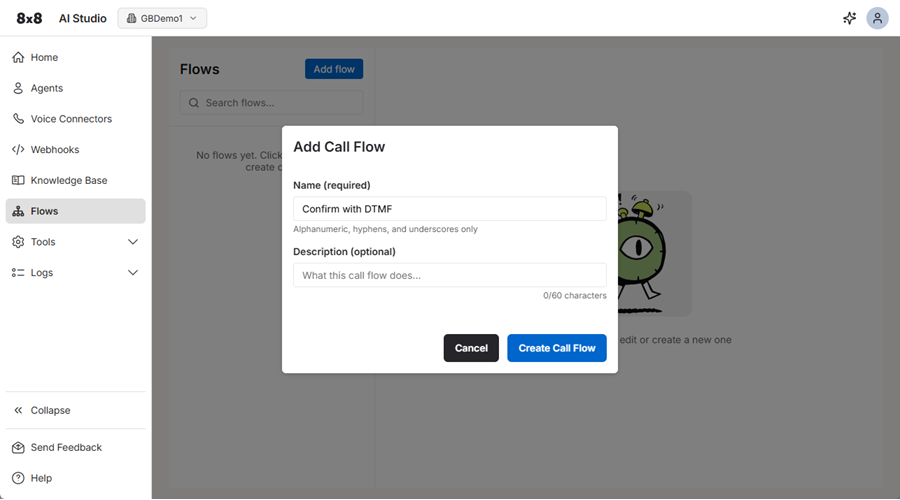
- Click Add flow.
- Add a name for the flow. Use hyphens and underscores instead of spaces between words.
- (Optional) Add a description for what the flow does.
- Click Create Call Flow.
Flows are assigned to phone numbers in the Voice Connectors submenu.
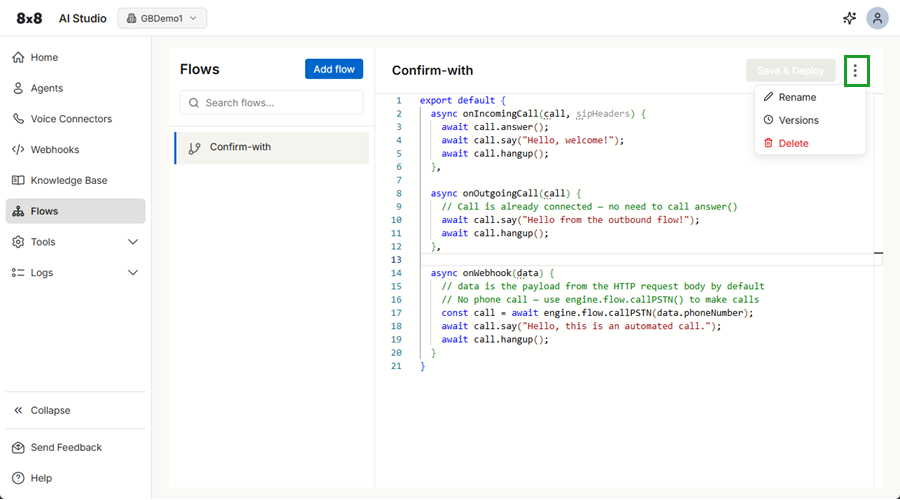
You can edit a call flow at any time. Just type your changes and click Save & Deploy, or use the Builder to adjust the call flow according to your requirements.
Additional call flow options
You can use the three dots  next to the Save & Deploy button to rename, delete, or revert to a different version of the call flow at any time.