Transcription and Speech Analytics configuration
UC administrators use the Transcription & Speech Analytics Configuration section to manage Speech Analytics features through license-based control. By assigning licenses, administrators determine which AI capabilities are available to each user.
This section also allows administrators to control which calls are transcribed, define transcription languages, and configure a custom dictionary to improve transcription accuracy
Note: Multilingual transcription is available to both 8x8 Contact Center and 8x8 Work users.
- Manage Speech Analytics licenses
- How to access the transcription policies and dictionary settings
- Set up transcription policies
- Manage the custom dictionary
How to access the transcription policies and dictionary settings
- Go to https://login.8x8.com.
- In the 8x8 Application Panel, select Admin Console.
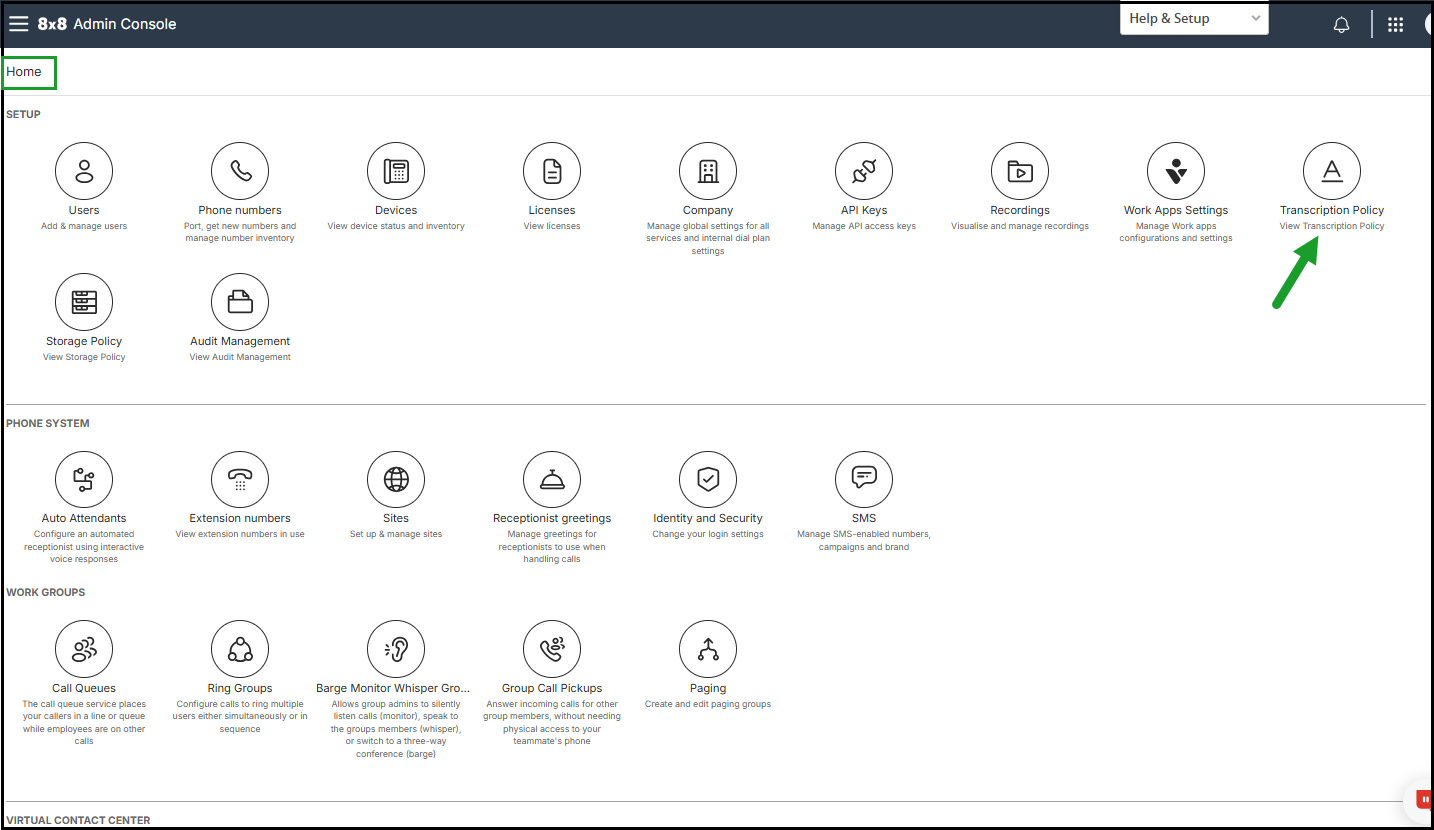
- Go to Home > Transcription Policy.
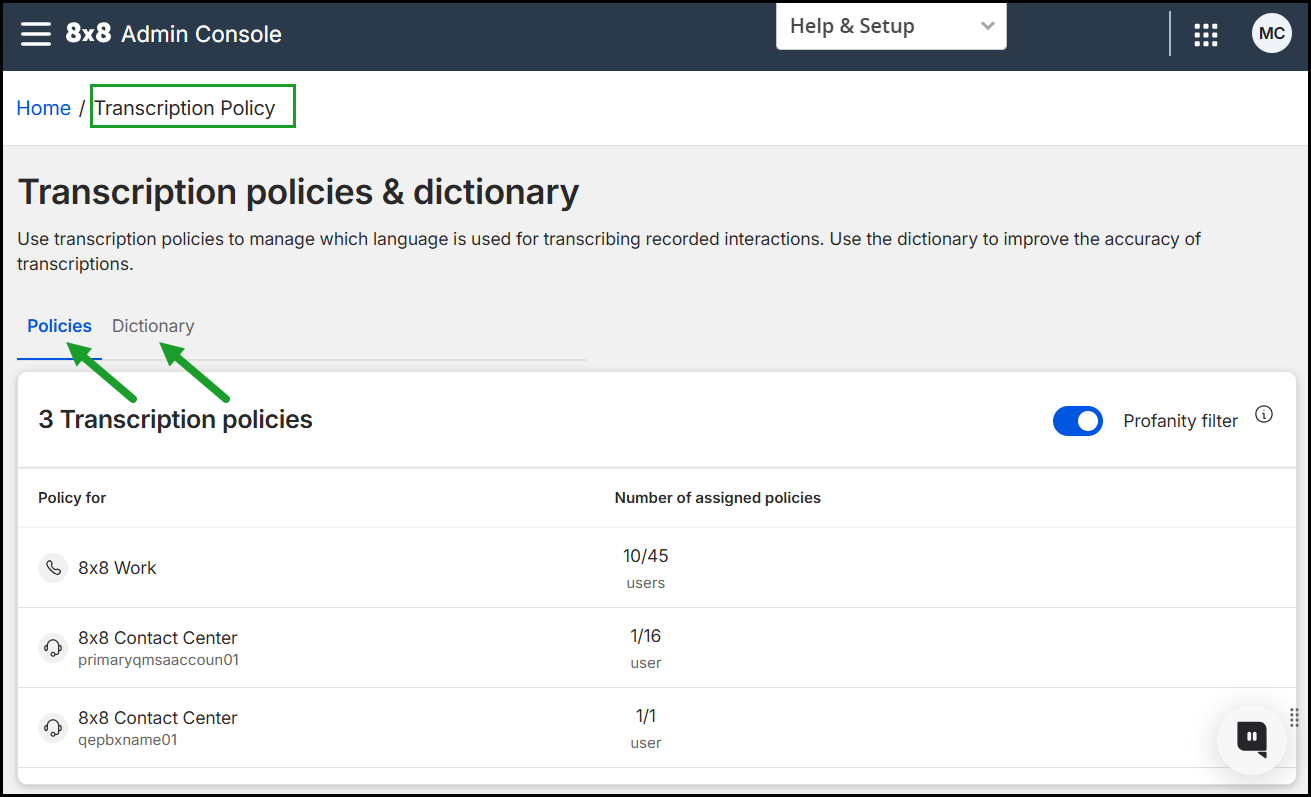
On the Transcription Policy page, administrators can manage which call recordings are transcribed and specify the transcription language:
- Open the Policies tab to control which calls are transcribed and in which language.
- Open the Dictionary tab to improve the transcription accuracy by adding custom terms.