Use the site map to navigate the 8x8 Work for Desktop
8x8 Work includes a comprehensive site map, providing users with a complete overview of all application features and areas.
The Site map shows only the features and areas the user has in 8x8 Work based on its capabilities, such as licences, profile policies, etc.
This enhancement allows users to:
- View all available 8x8 Work sections in a single, organized interface, including Search, Calls, Contacts, Conversations, Meetings, Call recordings, Sales & Account Workspace and specialized features.
- Access any area of the application directly through clickable links from the centralized site map location.
- Navigate more efficiently by viewing the complete structure of 8x8 Work at a glance, with logical groupings of related functionality, including communication features, contact management, and productivity tools.
- Enhanced accessibility that meets WCAG standards, ensuring all users can navigate the application effectively.
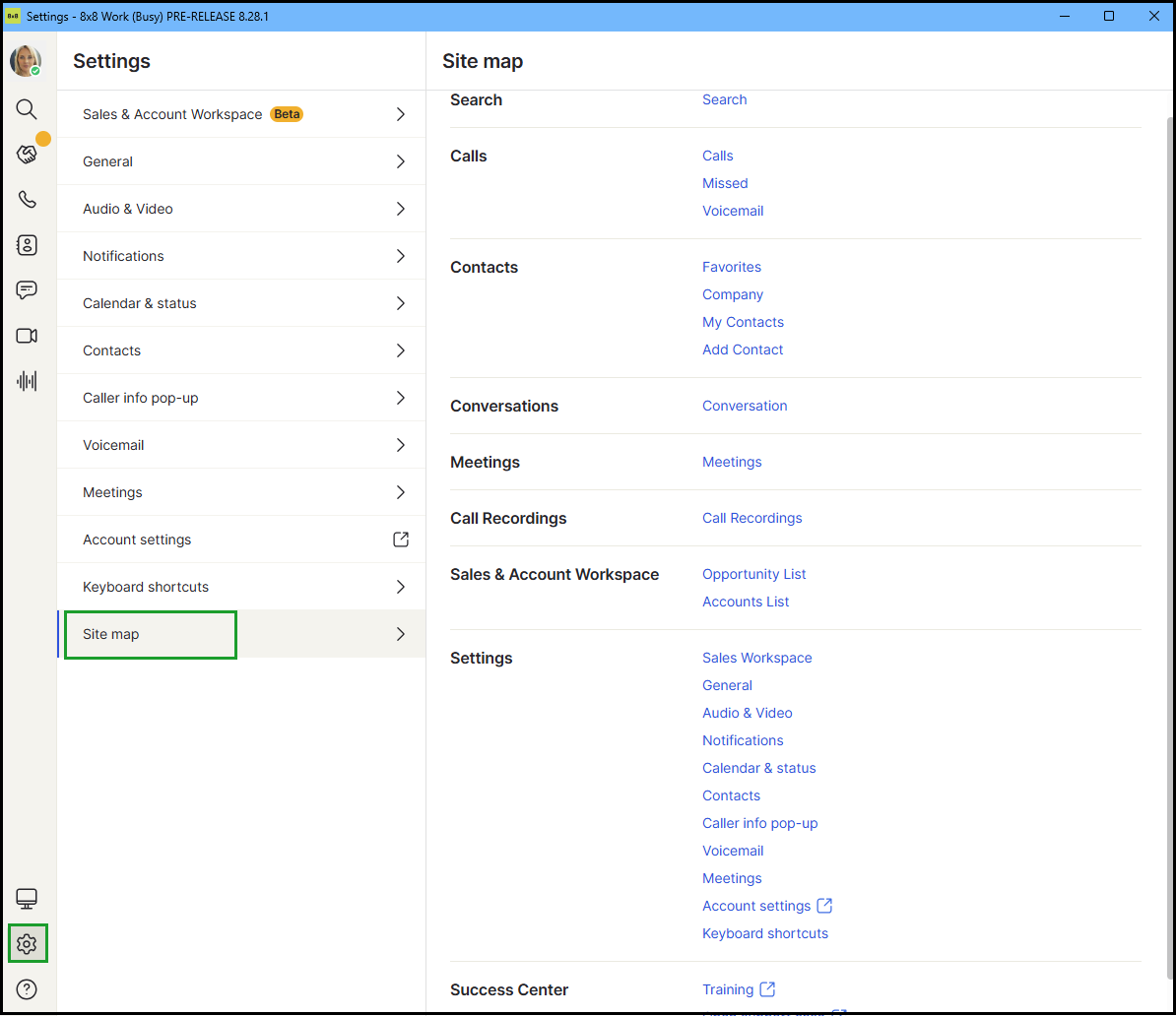
Access the Site map section
- Log in to 8x8 Work for Desktop.
- From the navigation menu, go to Settings
 > Site map.
 - The site map shows a complete structure of the 8x8 Work for Desktop app, including all features and areas.


