Note: AI Studio is an Early Access Program (EAP) product. Features may change after this documentation is published. If a feature is not included in this guide, use the built-in AI Builder to explore available capabilities.
Manage existing agents
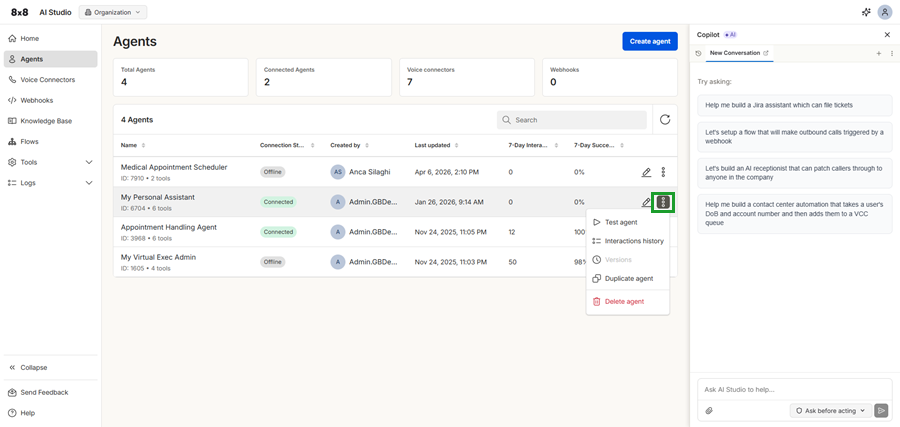
From the Agents page, you can manage existing agents using the available actions menu. These options allow you to test, update, and maintain your agents.
Edit an existing agent
You can edit an existing agent at any time by clicking the edit  icon next to the agent. Use this option to update the agent’s instructions, adjust its behavior, or modify its configuration to better suit your needs.
Use additional agent actions
From the more options  menu , you can access additional actions:
- Test agent: Send a test message to the agent to verify how it responds without making a live call. If the agent is disconnected, click Connect.
- Interactions history: View past interactions handled by the agent for troubleshooting and analysis.
- Versions: View and manage saved versions of the agent configuration.
- Duplicate agent: Create a copy of the agent with the same configuration, which you can modify for a new use case.
- Delete agent: Permanently remove the agent from the system. This action cannot be undone.