8x8 Engage interface on mobile
Notes:
- 8x8 Engage is available on mobile devices beginning with 8x8 Work for Mobile app version 12.0.
- 8x8 Engage Digital is currently not supported on Android devices. 8x8 Engage Digital is available on Desktop, Web, Teams, and iOS. If you need Android support, contact the Work Apps team at [email protected].
- SMS is only supported in select countries. See the list of supported countries and rates for SMS messaging.
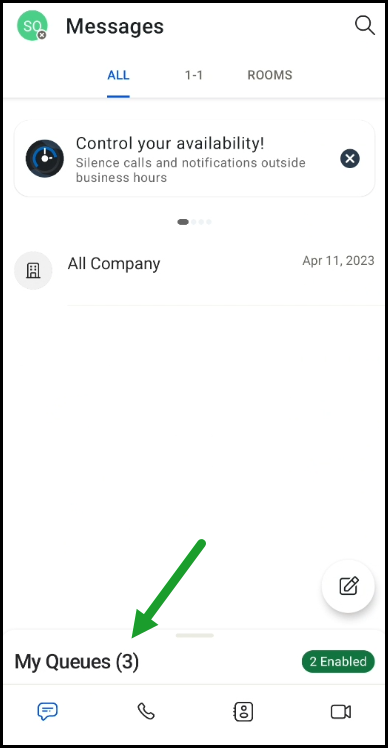
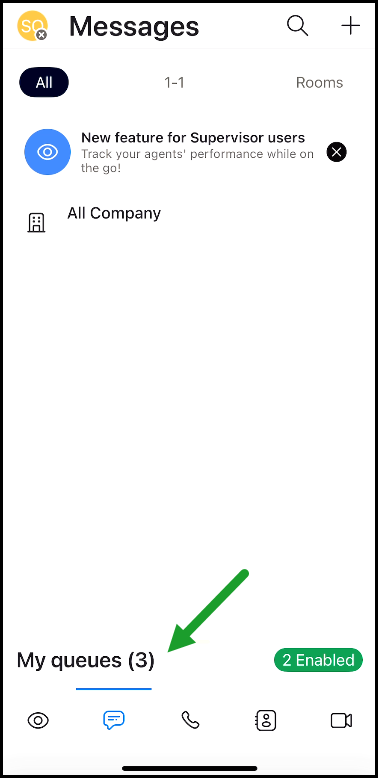
Once you log in with your 8x8 Work credentials on your mobile app, you will notice My Queues at the bottom of the screen. Swipe up or tap it to view your assigned queues and enable or disable them.
|
|
| On Android devices | On iOS devices |


